Great stories live or die by their characters, yet too often we stare at a blank profile wondering who these people are.
Good news: a new wave of AI character-creator apps now handles the heavy lifting, from shaping backstories to painting vivid portraits. Whether you dip into the massive bot library on Character AI or let a storytelling engine like DreamGen spin unfiltered dialogue on command, you can move from outline to full-fledged hero in minutes.
In this guide we rank the nine tools that matter most—and show you exactly which one to open first.
How we tested and ranked each AI character-creator
We didn’t slap together a random list. Instead, we opened accounts, built sample characters, logged chat hours, and generated hundreds of lines of prose and portraits. Along the way, we tracked the frustrations writers mention most on forums: forgotten details, paywalls, stiff filters, and clunky exports.
First, we set three non-negotiables. Every tool had to be live in April 2026, provide an English interface, and offer a free way to test it. Platforms that pivoted away from fiction, or that hid core features behind enterprise plans, were disqualified.
Next, we scored each platform on five factors that matter when you’re drafting a novel or running an RPG session:
- Customization depth – how precisely you can shape a character’s voice, backstory, and quirks
- Story integration – whether the tool keeps those details intact across long-form writing or role-play
- Ease of use – a clear, clutter-free interface that lets creativity flow
- Free-tier value – enough credits or chats to finish a scene, not just a demo prompt
- Price for value – what you receive once you start paying
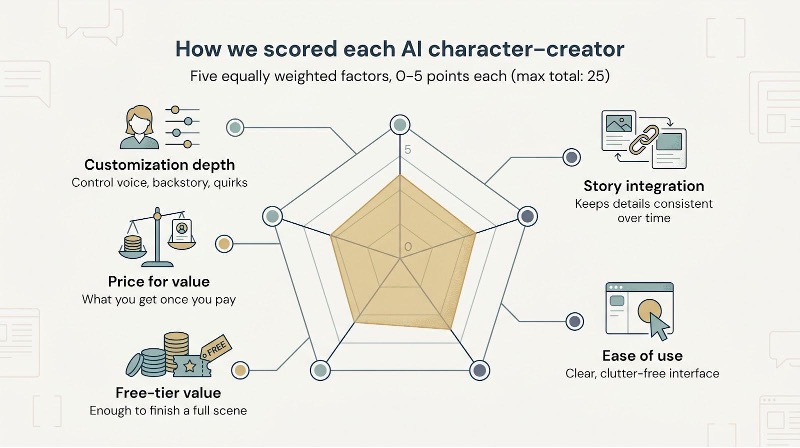
Each factor earned up to five points, so every tool could score a maximum of 25. Because we weighted the criteria evenly, the final ranking stays transparent; if a platform excels at memory but falls short on price, you’ll see that trade-off immediately in the totals.
Finally, we checked our impressions against fresh community chatter and release notes to confirm that no headline feature slipped past us the night before publication. The result is a rank-ordered list you can trust and, more importantly, act on.
1. DreamGen – unfiltered storytelling powerhouse
Opening DreamGen feels less like launching an app and more like summoning a private dungeon master who never drops character. Its homepage promises a “generous free tier, no strings attached,” so you can try the Lucid models for yourself before paying. The platform runs on its own Lucid models, which you can switch between for speed or nuance, and it skips the heavy-handed content filters that limit many mainstream bots. That freedom lets you explore steamy romance, grimdark horror, or anything between without the dreaded “I’m sorry” refusal.
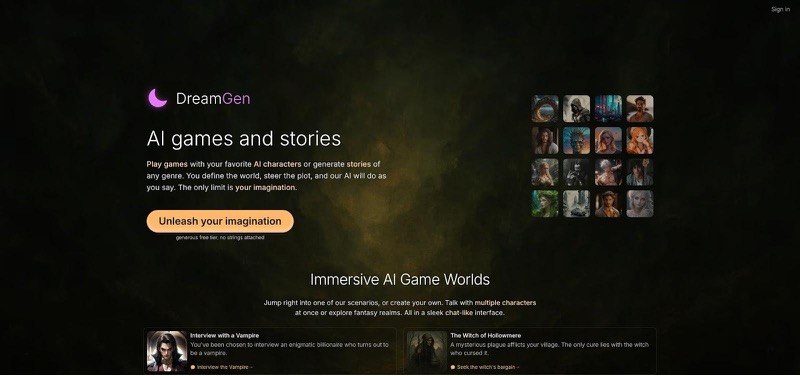
You start by outlining a personality and a few scene goals. DreamGen then spins dialogue and narrative that stay locked to those traits across chapters thanks to an expansive context window. We pressed the system with a 15,000-word space-opera draft, and it still remembered the captain’s claustrophobia in the finale. A built-in image generator adds visual continuity: type a quick prompt and you receive a portrait that mirrors the text description.
Pricing stays clear. The free tier supplies enough daily credits to sketch a protagonist and test a short scene. When you’re ready for marathon sessions, the Starter plan (about the cost of two lattes per month) opens unlimited access to the higher-powered Lucid Max model and a large pool of extra tokens.
DreamGen’s main limitation is its complexity. Steerability sliders, temperature fields, and prompt tags can overwhelm first-time users. If you’re committed to long-form fiction or mature role-play, that control quickly pays off. Think of DreamGen as a writer’s room where nothing is off limits and every detail sticks, ideal for authors who refuse to write with the brakes on.
2. Character AI – endless personalities in one click
Character AI is a web-based character chat hub where the costumes are made of code. Open the site and you’re greeted by millions of user-generated bots—Sherlock Holmes, a wisecracking starship, even original heroes waiting to join your plot. Pick one, type a line, and the conversation sparks to life.
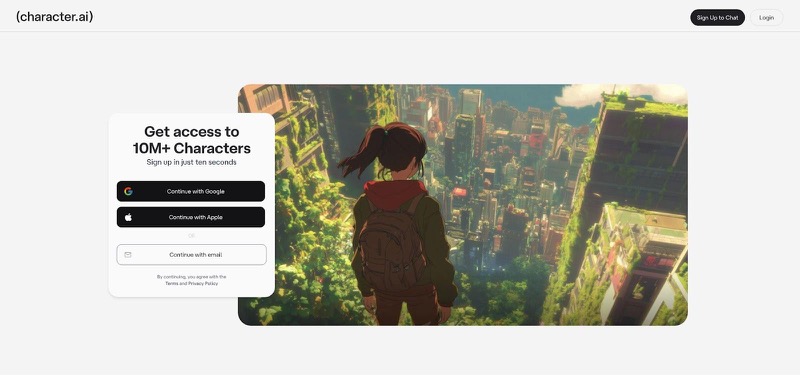
This reach comes from a busy community feed where every profile is shareable. Want a snarky mentor who quotes Sun Tzu? Someone has built it already. Prefer to craft your own? A short description and a few sample replies publish a fresh persona to the gallery. The result is quick inspiration when you’re blocking out dialogue or testing character chemistry.
Character AI recently introduced Stories mode, which bundles chats into bite-sized narrative scenes for teen users and nudges them away from explicit content. That spotlight on safety is both an advantage and a limit. The platform enforces a strict PG-13 filter, so any scene that drifts into steamy romance or graphic combat fades to gray. If your novel leans adult, you’ll feel those guardrails fast.
Using Character AI costs nothing to start. Unlimited chatting is free, though peak hours can trigger waiting rooms. The optional c.ai+ subscription removes the queue and speeds up responses for about ten dollars a month, but it doesn’t relax the content filter. Think of the upgrade as a fast-pass line, not a backstage pass.
The team also added a formal Lorebook for c.ai+ members, letting you pin world-building facts so long-form continuity stays intact. For quick role-play, brainstorming banter, or testing how a side character speaks, it excels. For epic sagas, this new memory tool finally makes it a viable option. When you need fresh dialogue on demand, Character AI pours it out with the enthusiasm of an improv troupe running on free coffee.
3. NovelAI: lore-locked co-writer for serious fiction
NovelAI is an AI character-creator and long-form writing platform you open when your draft already has a heartbeat and you need an assistant who never misplaces a detail. Its Lorebook side panel lets you store everything that matters: eye color, family curse, the exact year magic was outlawed. Each time you press “continue,” those notes feed the engine, so the AI keeps your canon straight from chapter to chapter.
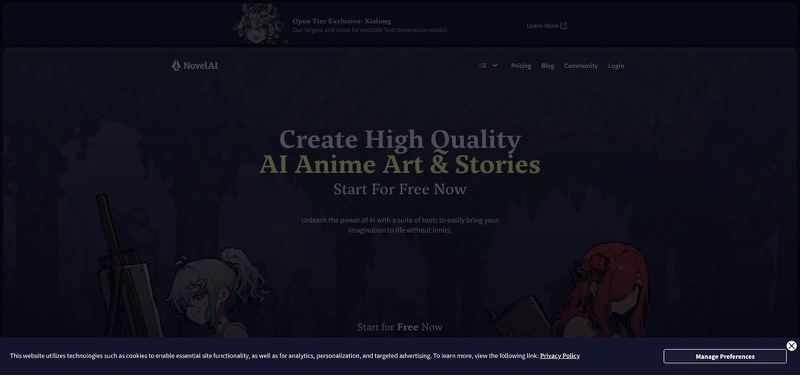
The prose feels polished. NovelAI’s Kayra model can mimic genre styles with impressive range, slipping from hard-boiled noir to lyrical epic without sounding like a mash-up. We asked it to rewrite a scene in the cadence of Ursula K. Le Guin, and while no robot matches the master, the result carried the right rhythm and restraint.
Visuals come baked in on higher tiers. Switch to the image tab, paste the character description you just refined, and an anime-style portrait appears ready for a mood board. It is especially handy for writers who share snippets on social or Patreon because words and art live in one workspace.
There is no permanent free tier, only a short trial, so budget-minded authors should plan an intensive test week. If you’re neck-deep in a novel and crave continuity, the ten-dollar entry plan quickly earns its keep. Think of NovelAI as the meticulous line editor who also sketches your cover: disciplined, adaptable, and always on call.
4. Sudowrite: brainstorming engine wrapped in a novelist’s editor
Sudowrite is an AI character-creator and drafting tool disguised as a distraction-free word processor. Its hallmark feature, Story Engine, walks you through character worksheets (motivation, flaw, voice) and stores those notes so every AI suggestion respects them. Ask for a dialogue punch-up and your cynical detective still sounds jaded, not chirpy.
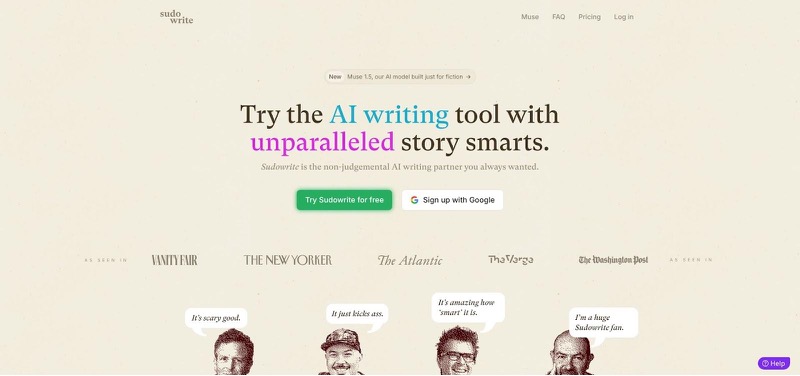
Sudowrite excels at unsticking writers. Hit a wall, highlight a paragraph, and tap “Write.” The tool returns five fresh continuations in seconds, each tagged with a tone label such as Suspense or Humor so you can pick the vibe that fits. Need sensory detail? The Describe button pours out metaphors that match your scene setting. It feels like having a creative writing group on standby 24/7.
Pricing matches its professional focus. After a three-day test drive you’ll pay about twenty dollars a month for enough AI words to draft several chapters. Heavy users aiming for a 100-k novel may need the pricier tier, but many authors cycle a month on, a month off, exporting text between bursts.
There is no art generator or public bot gallery here; Sudowrite concentrates on prose quality. If you want a versatile idea machine that lives inside a full editor, this is the one that keeps the pages turning.
5. ChatGPT: the adaptable idea fountain everyone already has
ChatGPT is the Swiss Army knife in your browser bar and doubles as a quick AI character-creator when you need fresh personas on demand. Type “Give me three flawed heroes for a cyber-punk heist,” and seconds later you’re weighing a chain-smoking drone pilot against a disgraced city planner with a guilt complex.
Flexibility is the hook. Because ChatGPT isn’t locked into a template, you can shape the conversation any way you like: interview the AI as if it were your villain, request a full character sheet, or paste chapter snippets and ask for personality tweaks. Need a quick portrait? The Plus plan’s built-in DALL·E delivers a serviceable headshot without leaving the chat window.
The free tier runs on GPT-4o mini and handles light brainstorming, though it can drift generic if you aren’t specific. Spring for the Plus plan to access the full GPT-4o suite, and the responses tighten up, with fewer clichés, better style matching, and more nuanced motives. At twenty dollars a month, it’s still cheaper than most specialty tools, especially if you’re juggling multiple creative projects.
Two limitations matter. First, memory: once the conversation scrolls beyond a few thousand words, details fade. Savvy writers solve this by summarizing key facts into bullet points and pasting them back every so often. Second, content policy: ChatGPT will refuse explicit scenes or extreme gore, so save adult material for a less filtered platform.
Used wisely, ChatGPT is the fastest way to blast through early-stage brainstorming, untangle plot knots, or sanity-check dialogue. It won’t run your entire novel, but as a pocket-sized writer’s room, it’s tough to beat.
6. Canva Magic Media: quick character portraits for the design-shy
Canva Magic Media is an in-browser image generator that turns plain text prompts into ready character portraits. Sometimes words alone can’t nail a character’s vibe, and this tool steps in when you need a face but have zero illustration skills.
Describe your hero—“battle-scarred paladin, warm brown skin, silver undercut, oil-paint style”—hit Generate, and within seconds you’re sifting through four options. Pick your favorite, drop it onto a Canva canvas, and fine-tune colors or add a quote box without opening another app. Because image generation and layout live side by side, you can turn a raw portrait into a polished character card before the coffee cools.
Free users receive a monthly bundle of credits, enough for a small cast photo shoot. Upgrade to Pro and the quota multiplies, while higher tiers move you to the front of the queue. Content rules block explicit gore or nudity, yet for mainstream genres the filter seldom interrupts.
Quality is solid for concept art and social teasers, though you may spot the occasional wonky hand. Canva’s Magic Edit tool lets you circle that odd thumb and request a redraw in plain English, no Photoshop degree needed.
If your goal is a lush novel cover, Adobe Firefly might edge ahead on resolution. For everyday imagery—blog headers, Patreon rewards, NPC handouts—Canva offers a low-stress way to put a face to your prose.
7. Adobe Firefly: pro-grade art when every pixel counts
Adobe Firefly is a browser-based AI image generator that excels at detailed portraiture, making it a strong choice for authors who need polished character art. Trained on licensed stock images, it produces portraits with crisp anatomy, clean lighting, and none of the copyright gray zones that shadow some rivals.
Open the web interface, choose Photo, Illustration, or Graphic template, and start prompting. A style panel lets you lock in oil paint, flat comic ink, or photo-real cinema without wrestling keywords. When the render lands, one click opens it in Photoshop, where Generative Fill can replace armor with a tux or extend the canvas into a widescreen banner while staying in the same cloud document.
Free Adobe IDs receive about twenty-five credits each month, enough for several concept rounds. Creative Cloud subscribers get a larger pool, plus the protection of Adobe’s content indemnity if you plan to sell merchandise or place the image on a book cover. The filter blocks explicit scenes, yet for YA, fantasy, and mainstream sci-fi, Firefly seldom refuses.
The main limitation is workflow. Advanced tweaking happens inside Photoshop, so writers without design experience may face a learning curve. If you need print-quality art that holds up at 300 dpi, Firefly delivers. It is the upgrade when Canva sketches feel soft and your story deserves poster-ready visuals.
8. Metos: guided character excavation for world-builders
Metos is an AI character-creator that treats development like a structured interview. Instead of spitting out a prefab bio, it asks pointed questions such as childhood turning point, secret they would never confess, or cultural festival they adore, then riffs on your answers to surface new angles. The experience feels more like working with a sharp developmental editor than prompting an algorithm.
The platform links every persona to broader world entries, so if your kingdom bans magic, Metos prompts you to explore how that shapes a wizard’s daily paranoia. This cross-referencing pays off when you export notes: each profile arrives neatly organized, ready to paste into Scrivener or a GM binder.
The core toolkit is free for one character and one story. Move to a paid plan and the caps disappear, plus you gain unlimited characters, stories, and visual moodboards to deepen your world-building. There is no auto-story generator and no image tab, but that focus is the point; Metos is where you flesh out the bones before drafting prose elsewhere.
If you thrive on questionnaires, lore spreadsheets, and “why does this matter” probes, Metos keeps you consistent and your setting cohesive. For quick one-shot NPCs it may feel heavy, yet when you are building an epic with interlocking histories the platform justifies the investment.
9. NovelCraft: balanced co-pilot with a generous free tier
NovelCraft is an AI character-creator and drafting suite that sits between quick brainstorming tools and heavyweight novelist platforms. Open a project and the editor invites you to map scenes, jot beats, and, crucially, add cast members to a Character Library that stays docked on the right. Each time you summon the AI co-writer, it cross-checks that library so your stoic ranger doesn’t suddenly crack dad jokes two chapters later.
The interface feels like Google Docs blended with a smart outline. You type, the AI suggests the next line or asks guiding questions if your pacing stalls. Accept what you like, ignore what you don’t; the system never overrides your voice. Multilingual support is built in, so if you’re writing a bilingual romance the AI can swap languages without losing tone.
The standout perk is price. Ten thousand AI-assisted words every month cost nothing, enough to draft a short story or test a novel’s opening act. Paid plans begin only when you exceed that ceiling, giving you a low-risk way to decide if an AI partner fits your process.
There is no mobile app yet, and the image generator remains more proof of concept than production tool. Still, for writers who want structured help without Sudowrite’s price tag or NovelAI’s learning curve, NovelCraft offers a practical middle ground: accessible, organized, and ready when inspiration strikes.
Compare the contenders at a glance
We’ve covered the nuances of each AI character-creator, but sometimes you just need the scoreboard. The table below lines up the nine platforms across customization, story integration, ease of use, free-tier value, and overall price for value, so you can scan strengths and gaps in seconds.
| Tool | Focus | Free tier? | NSFW allowed? | Customization (0-5) | Story integration (0-5) | Ease of use (0-5) | Free-tier value (0-5) | Price for value (0-5) | Total |
| DreamGen | Text + images | Yes | Yes | 5 | 5 | 4 | 4 | 5 | 23 |
| Character AI | Chat role-play | Yes | No | 3 | 2 | 5 | 5 | 3 | 18 |
| NovelAI | Long-form fiction | Trial only | Yes | 5 | 4 | 4 | 2 | 4 | 19 |
| Sudowrite | Writer’s editor | Trial only | Yes | 4 | 5 | 3 | 2 | 3 | 17 |
| ChatGPT | General AI | Yes | Partial | 3 | 1 | 5 | 4 | 4 | 17 |
| Canva Magic Media | Image only | Yes | Limited | 2 | 0 | 5 | 5 | 4 | 16 |
| Adobe Firefly | Pro-grade art | Yes (credits) | No | 1 | 0 | 4 | 3 | 3 | 11 |
| Metos | Guided profiling | Yes | Yes | 4 | 3 | 4 | 4 | 3 | 18 |
| NovelCraft | Balanced co-write | Yes (10 k words) | Yes | 4 | 4 | 4 | 5 | 4 | 21 |
Scores reflect relative performance as of April 2026 and will shift as the tools evolve. Use them as a starting compass, then try the free tiers to see which workflow feels right for you.
Conclusion
Scores reflect relative performance as of April 2026 and will shift as the tools evolve. Use them as a starting compass, then try the free tiers to see which workflow feels right for you.